Hosted sync for Taskwarrior 3
Add three lines to your Taskwarrior config on each machine, then run task sync to keep them in step. Tasks are encrypted on your machine before they're sent, so we can't read them.
~ $ task add Renew passport due:friday
Created task 14.
~ $ task sync
Sync successful.

work-laptop $ task sync
Sync successful.
work-laptop $ task next
ID Age Due    Description
14 1m  Fri    Renew passport
Setting up takes three steps
Sign in with your email
We email you a sign-in link instead of asking for a password. You start your trial through Stripe and then land on your dashboard.
Copy your config
Your dashboard shows a client ID and the exact commands to run. The commands generate a random encryption secret on your machine. We never see it.
Run task sync
Run it with the same client ID and secret on every machine, and each one pulls in the changes made on the others.
# Taskwarrior 3.x
task config sync.server.url        https://taskwarriorsync.com
task config sync.server.client_id  [your client ID]
task config sync.encryption_secret [a secret only you know]
Encrypted on your machine
Taskwarrior encrypts every change on your machine before sending it. We store the encrypted data without the key, so we can't read your tasks.
Compatible with Taskwarrior's built-in sync
Taskwarrior 3 ships with a TaskChampion sync client and this server speaks the same protocol, so you don't install a plugin or run a daemon.
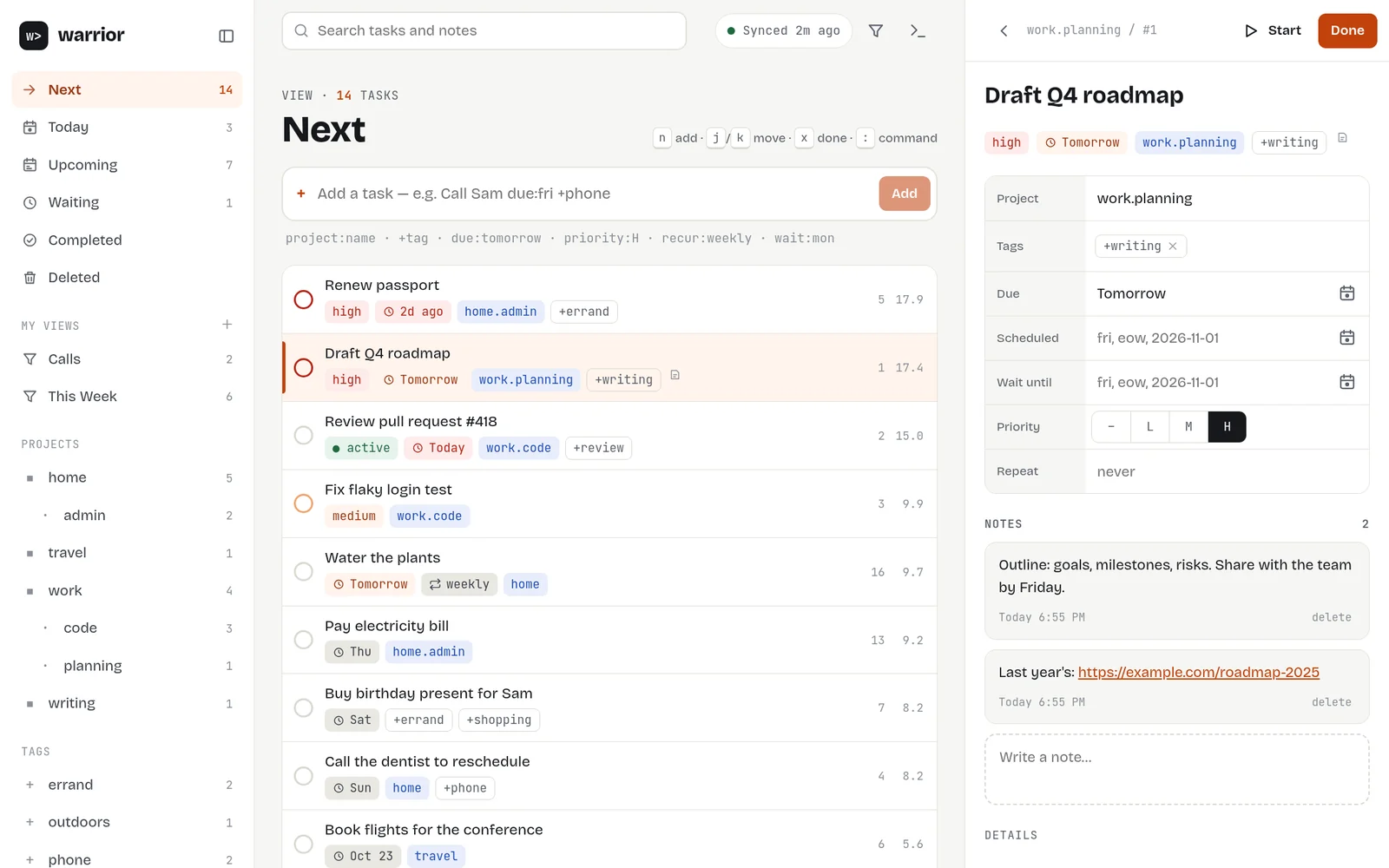
warrior, a desktop app for Taskwarrior 3
warrior is a free app for Linux and macOS that we also make. Every read and change goes through your own task program and .taskrc, so filters, urgency, reports and hooks work as they do in your terminal.
- Syncs with taskwarriorsync, set up from its settings
- Quick add with Taskwarrior's own syntax
- Saved views are ordinary Taskwarrior reports
- Keyboard driven, with light and dark themes
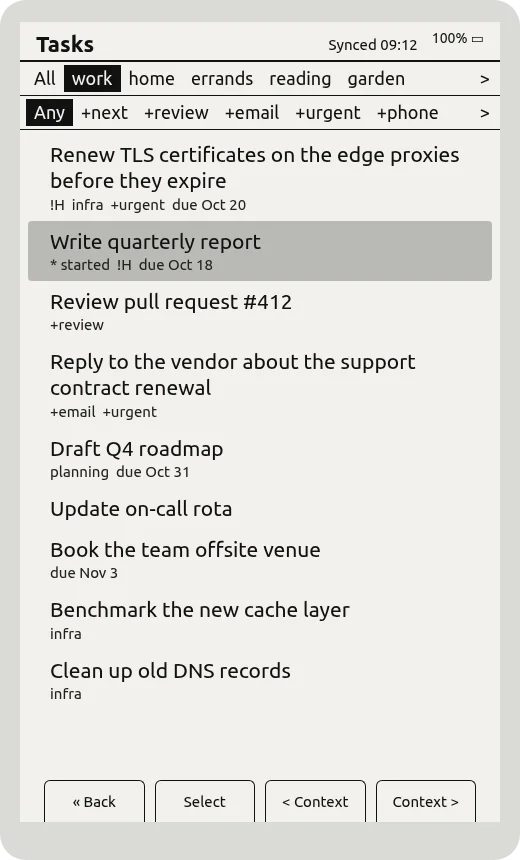
Your tasks on an e-ink reader
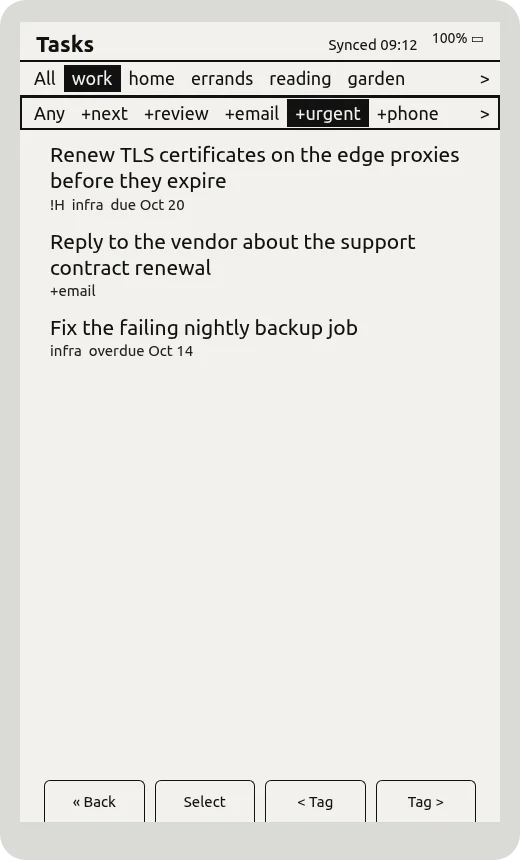
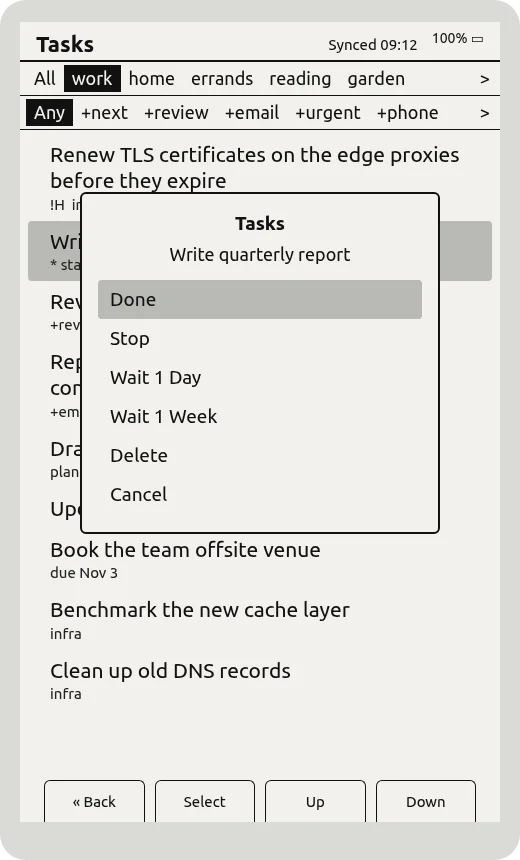
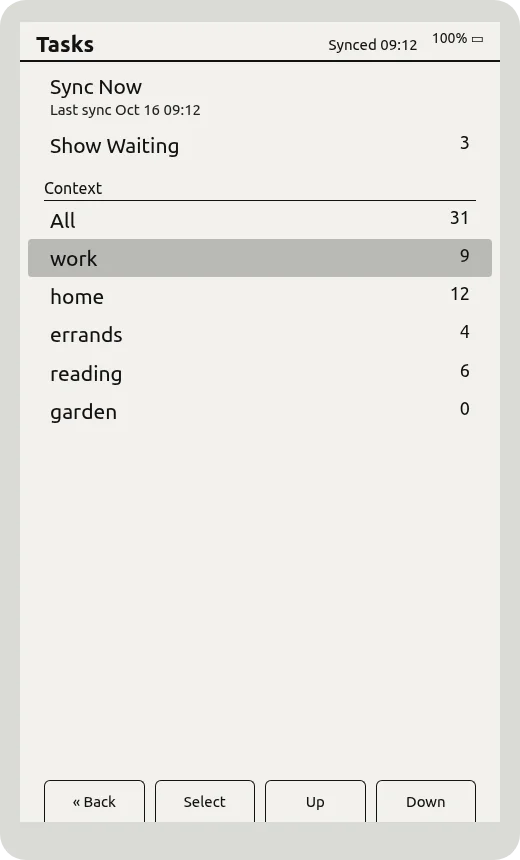
Our build of the open-source CrossPoint Reader firmware adds a Tasks app. It shows your Taskwarrior 3 tasks on the e-reader, synced with taskwarriorsync, and decrypts them on the device. Mostly read-only, with the edits you want away from a computer.
- Sorted by urgency, with your contexts and tags
- Mark done, start or stop, wait, delete
- Syncs over Wi-Fi; offline edits wait on the SD card
- Set up by copying sync lines from your
.taskrc
One annual plan
One plan covers any number of machines and up to 256 MB of sync storage.
- Any number of machines
- 256 MB of encrypted sync storage
- End-to-end encrypted storage
- 14-day free trial
- Cancel from your dashboard at any time
Questions
Which Taskwarrior versions work?
Taskwarrior 3.0 and later, plus any client built on TaskChampion. Taskwarrior 2.x used a different protocol (taskd) and isn't supported.
Is there a graphical app?
Yes. warrior is a free desktop app for Taskwarrior 3 on Linux and macOS that we also make. It syncs with task sync using the settings already in your .taskrc, so it works with taskwarriorsync with nothing extra to set up. It's still alpha.
Can I see my tasks on an e-reader?
Yes. Our build of the CrossPoint Reader firmware adds a Tasks app that syncs with taskwarriorsync over Wi-Fi and decrypts your tasks on the device. You can mark tasks done, start or stop them, wait them or delete them. Copy the sync lines from your .taskrc into taskwarrior.conf on the SD card. It's tested on the Xteink X4.
What happens if I lose my encryption secret?
We never see it, so we can't recover it. Your local tasks stay as they are. Reset your sync data from the dashboard, set a new secret on each machine and run task sync.
What happens when my subscription ends?
Syncing pauses and your tasks stay on your machines. We keep your encrypted sync data for 30 days in case you resubscribe, then delete it.
Can I delete my data?
Yes. Deleting your account from the dashboard removes your sync data immediately and cancels billing.